5 Best Fax Apps for iPhone and Android in 2026
Sending a fax from your phone sounds like an oxymoron — but it's genuinely useful. You're at a doctor's office and they need a signed form faxed to your insurance company. You're at a client site and they hand you a document that needs to go to their legal team. Having a fax app on your phone means you're never caught off guard.
We installed, tested, and compared five fax apps across both iOS and Android. Here's what stood out.
Quick Comparison
| App | iOS | Android | Free Pages | Scan Feature | Price After |
|---|---|---|---|---|---|
| Fax.Plus | ✅ | ✅ | 10 | ✅ | $5.99/mo |
| iFax | ✅ | ✅ | 7-day trial | ✅ | $16.67/mo |
| Fax App by Appstore | ✅ | ❌ | None | ✅ | $4.99/week |
| Tiny Fax | ✅ | ✅ | None | ✅ | $4.99/mo |
| FAX from iPhone | ✅ | ❌ | 1 page | ✅ | $7.99/mo |
1. Fax.Plus — Best Overall
Fax.Plus wins on balance. The app is clean, fast, and works identically on both platforms. You get 10 free pages to start, and the camera scanner is surprisingly good — it automatically detects document edges and applies contrast correction.
The one limitation: you can only send with the free tier, not receive. For receiving, you'll need the $5.99/month plan, which includes 100 pages and a dedicated fax number.
Key Features
- Camera document scanner with auto-crop
- Import from cloud storage (Google Drive, Dropbox, iCloud)
- E-signature tool built into the app
- Delivery confirmation with timestamps
- 180+ country coverage
2. iFax — Best Camera Scanner
iFax's standout feature is its camera scanner. Point your phone at any document — handwritten notes, receipts, contracts — and it produces a clean, high-contrast scan ready to fax. The OCR is also solid, making scanned text searchable.
The pricing is steeper than competitors ($16.67/month billed annually), but the 7-day free trial lets you test everything without commitment.
3. Fax App — Best for iOS Users
This iOS-only app has a polished Apple-native feel. iCloud integration is seamless, and it supports "Print to Fax" from any iOS app using the share sheet. The weekly pricing ($4.99/week) is expensive long-term, but works well for short-term use.
4. Tiny Fax — Best Budget Option
At $4.99/month, Tiny Fax is the cheapest subscription app on this list. The interface is basic but functional. It lacks some advanced features (no e-signatures, no cloud import), but handles the core job — scan, upload, send — without friction.
5. FAX from iPhone — Best for One-Offs
This app gives you one free page — enough for a single-page form. After that, it's $7.99/month. The app is simple and focused: scan or upload, enter number, send. No bells, no whistles, no confusion.
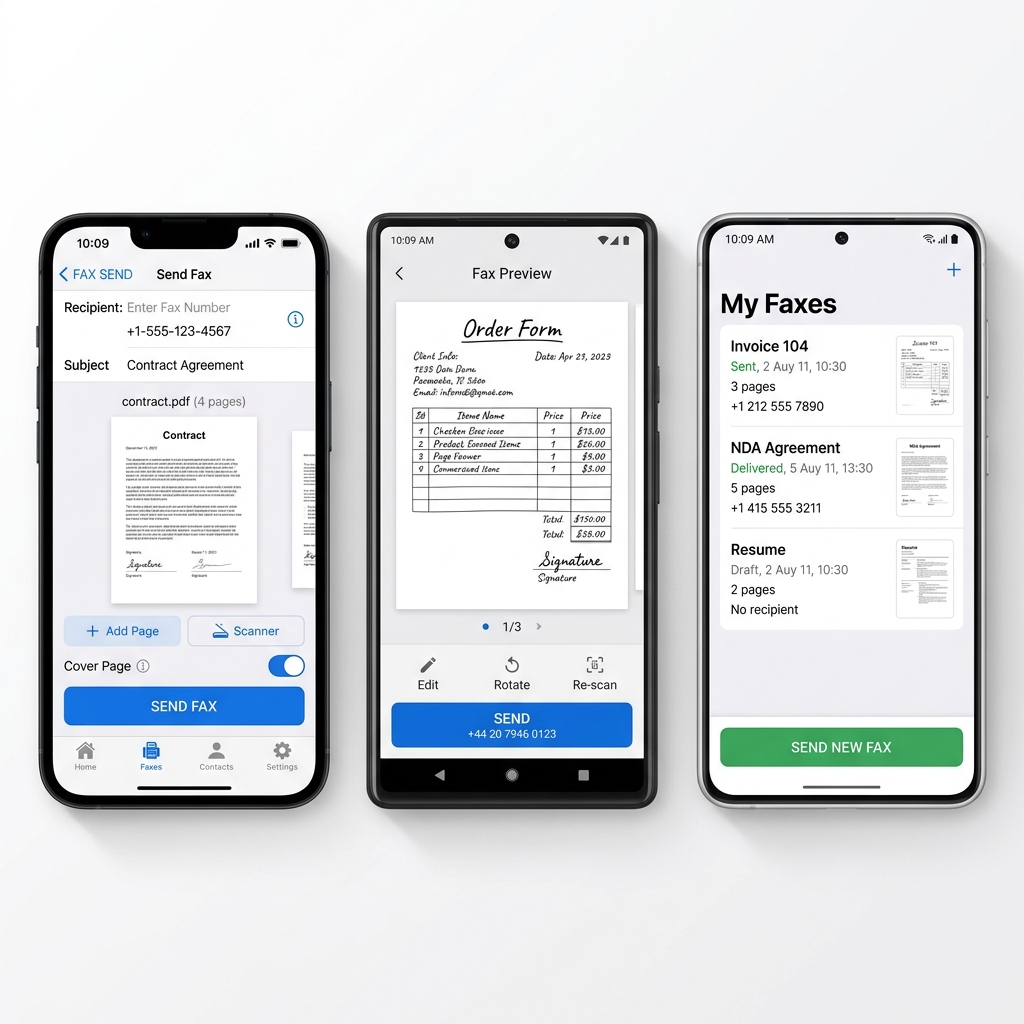
Modern fax apps include built-in document scanners that turn your phone camera into a portable fax machine.
What to Look for in a Fax App
- Camera scanner quality — The whole point of a mobile fax app is convenience. A bad scanner defeats the purpose.
- File format support — PDF, Word, Excel, and image files (JPEG, PNG) should all be supported.
- Pricing transparency — Watch for per-page charges stacked on top of subscriptions.
- Delivery confirmation — You need proof that the fax was received.
If you're looking for a deeper dive into how online fax services compare beyond just mobile apps, FaxRadar covers desktop and web-based options alongside mobile solutions.
Tip: Before paying for a fax app subscription, check if your existing online fax service has a mobile app. Most do — and it's included in your plan.